Workspaces, areas, projects
COREThree levels of structure. A workspace is a company or a client, an area is a department or product line, a project is a body of work.
Seven areas, one database. Pick a column on the left and read what each thing actually does - not what it's called in a comparison table.
Most teams live in Plan & track and Engineering. The rest is there when you need it.
Where the work actually lives. Projects sit inside areas inside workspaces, and every task can nest as deep as the job needs.
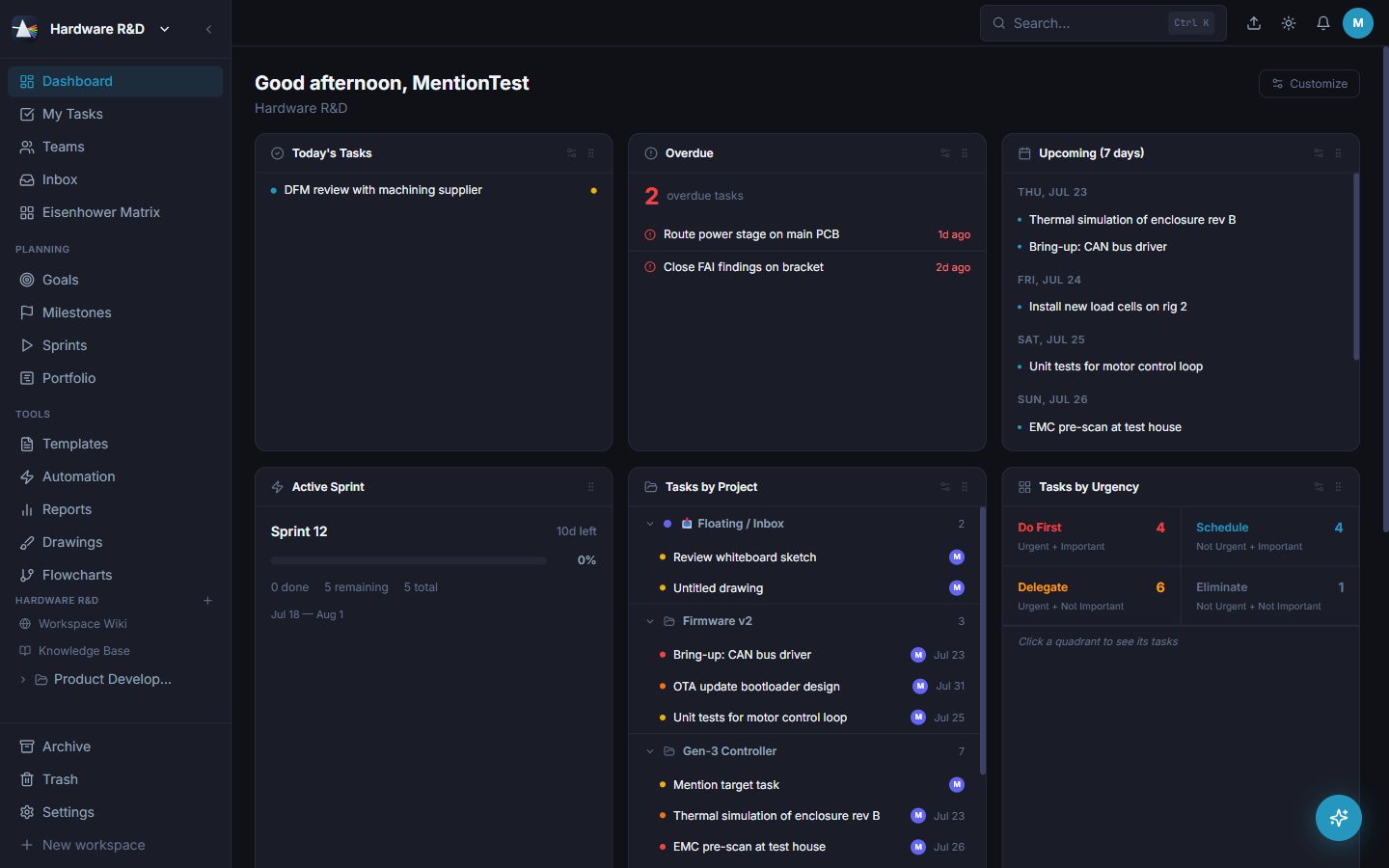
Three levels of structure. A workspace is a company or a client, an area is a department or product line, a project is a body of work.
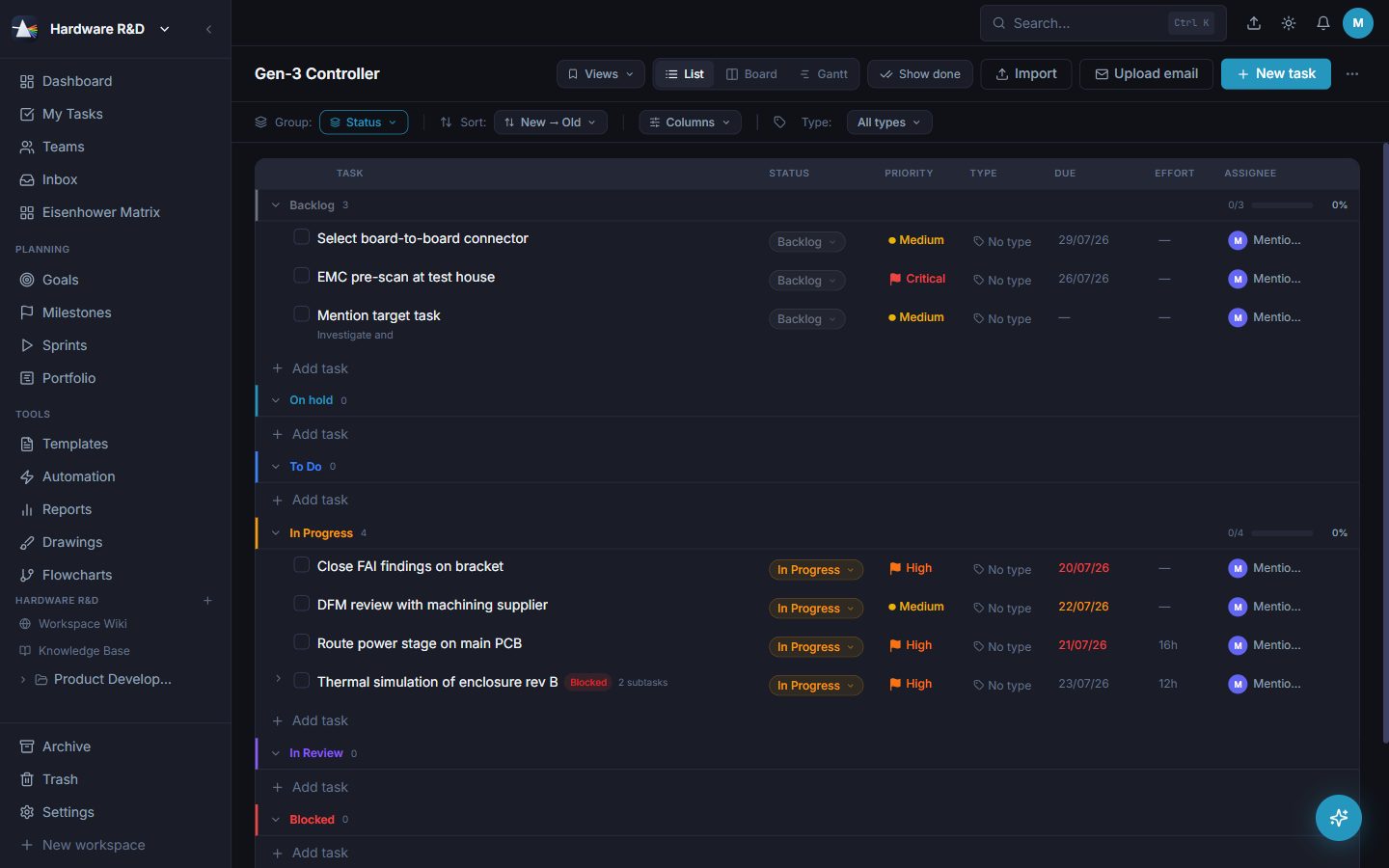
A dense table with grouping, sorting, inline editing and a column layout you choose. The default for people who think in rows.
Kanban by status, with drag between columns. Columns come from your own status library, not a fixed set.
One project on a timeline with drag-to-reschedule and dependency arrows. Weekends and holidays come from the working calendar.
One task, everything about it: description, checklists, attachments, comments, time, dependencies, links to sprints, milestones and key results.
Tasks nest without a depth limit, and each row tells you how many children it has without loading them all.
Mark what blocks what. Prism draws the arrows, finds the critical path and moves dependents when a date shifts.
Capture view type, grouping, sort, filters and columns as a named view. Keep it personal or share it with the workspace.
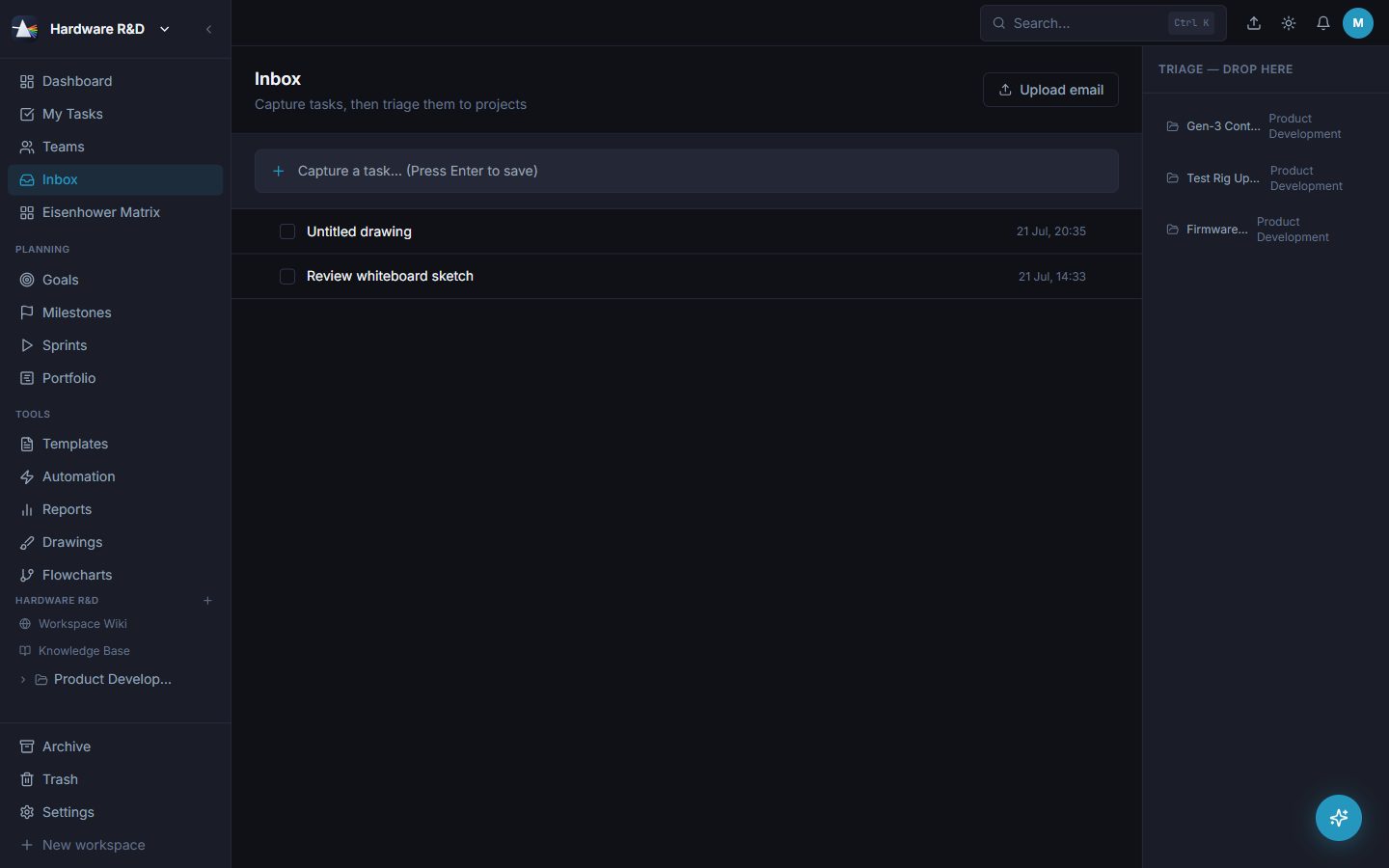
A tray for anything not yet filed. Type it now, decide where it belongs later.
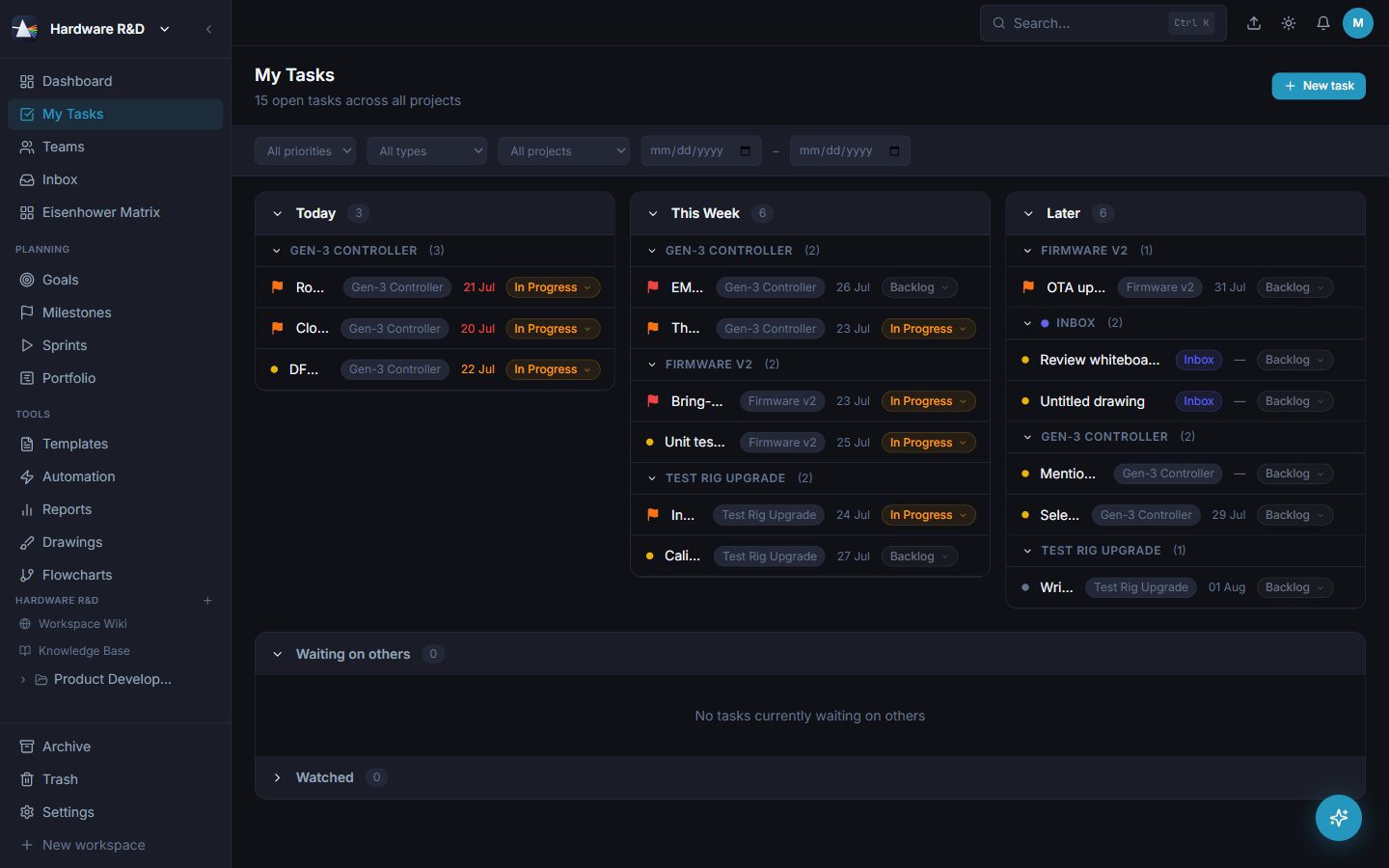
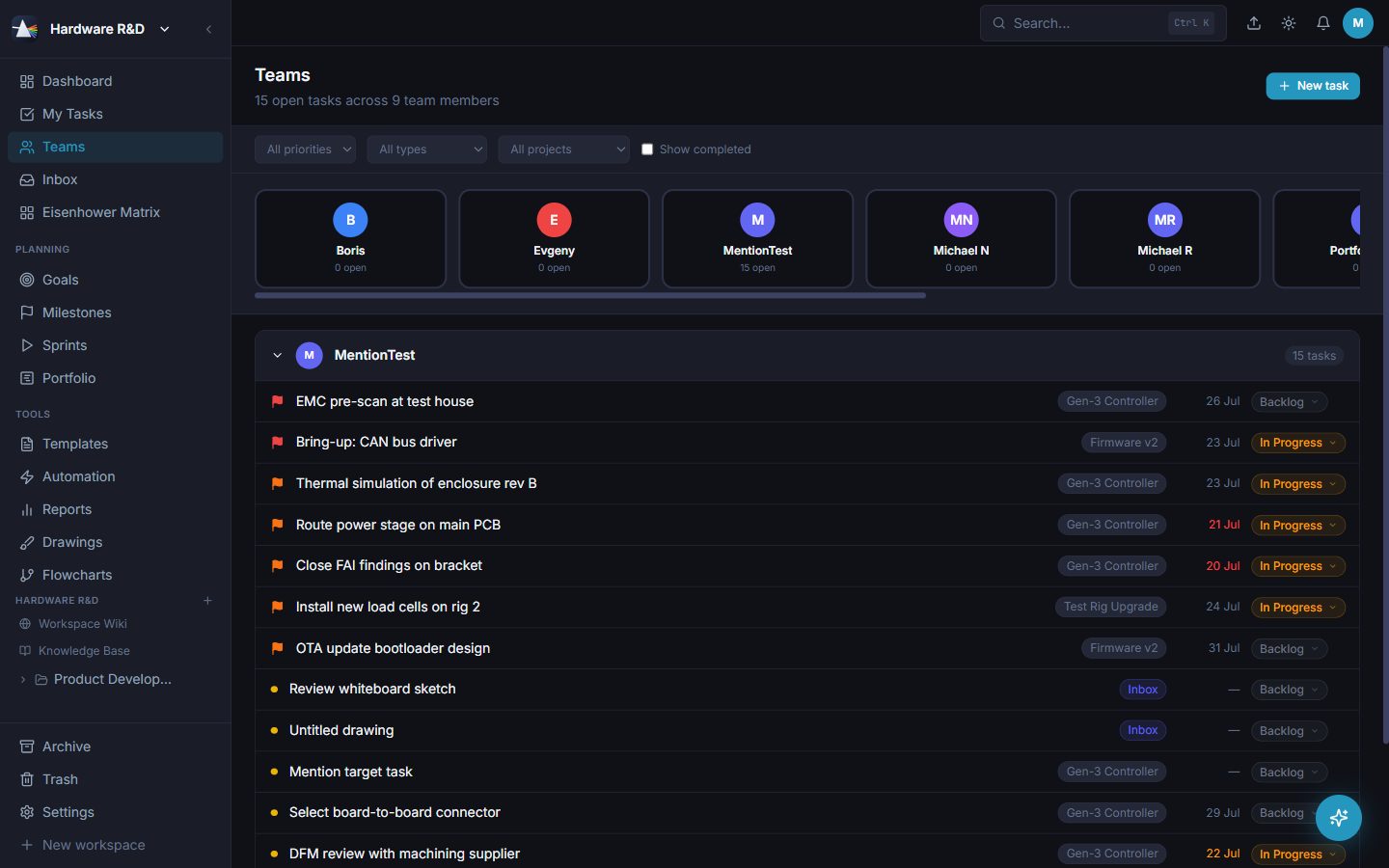
Your work across every project, in time buckets or a flat list, with subtasks nested under their parent and its own filter bar.
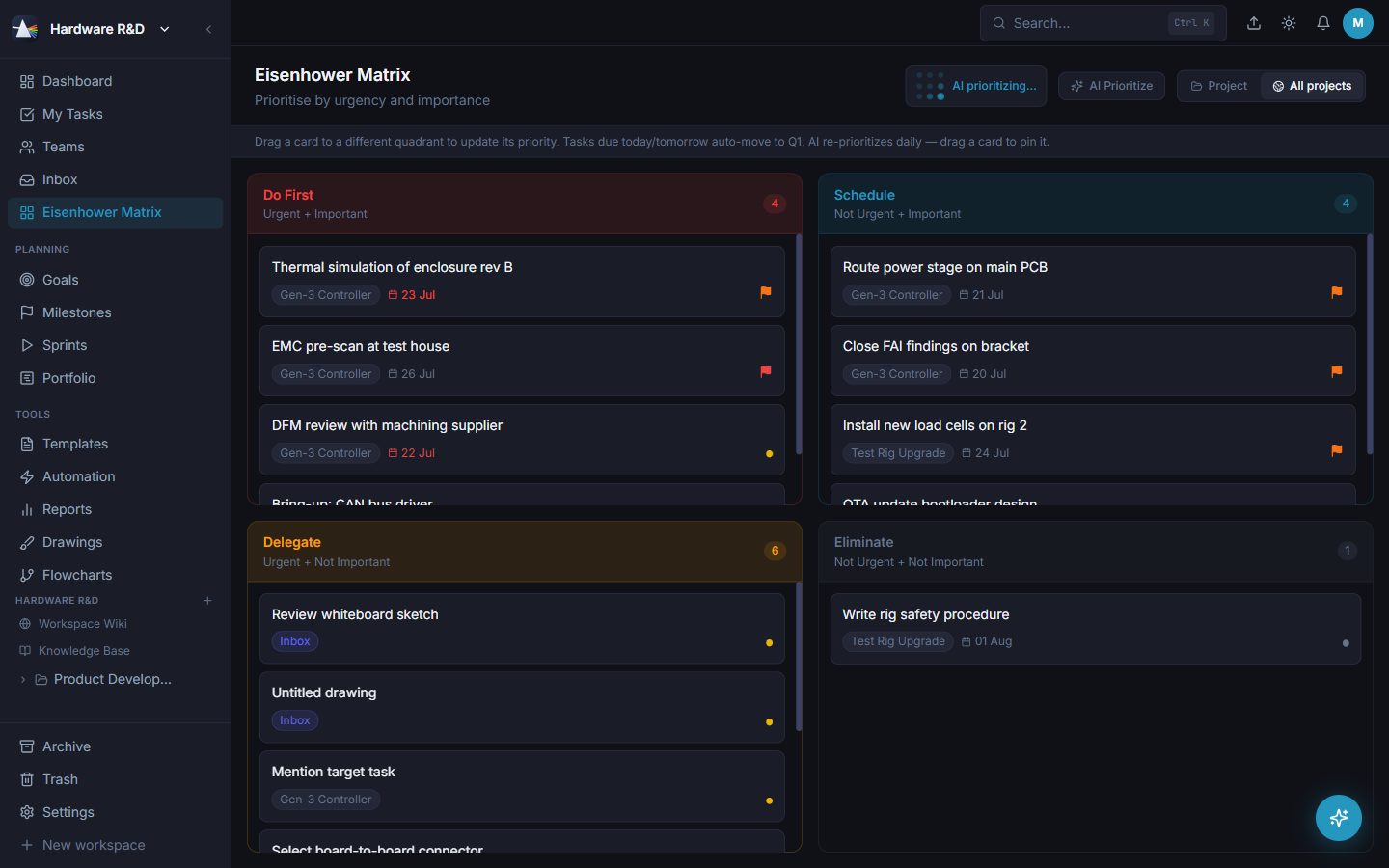
The urgent/important 2×2, built from your real priorities and due dates. Useful on the mornings that need it.
Nothing is really gone. Completed work archives out of the way; deleted work sits in Trash until an admin clears it.
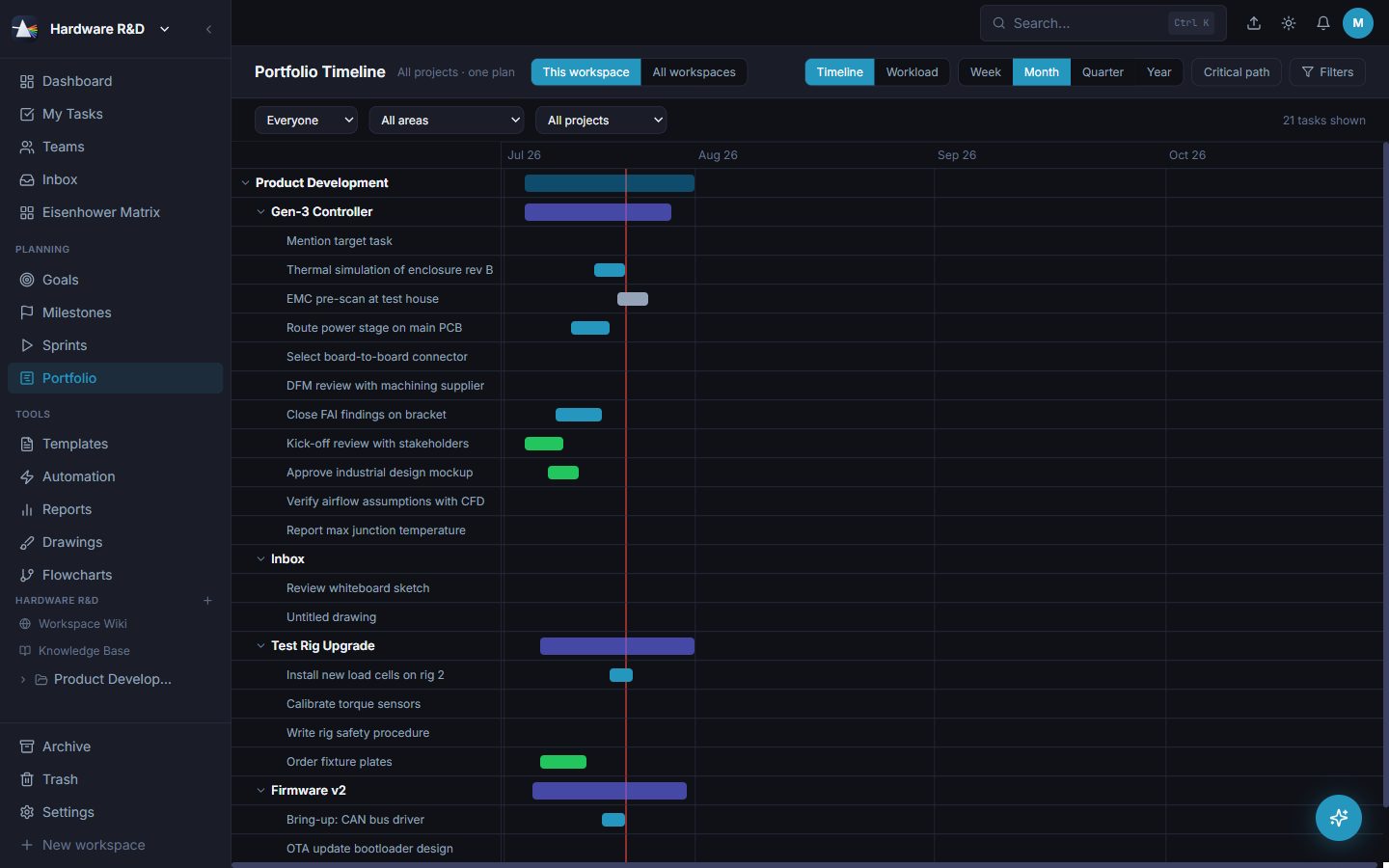
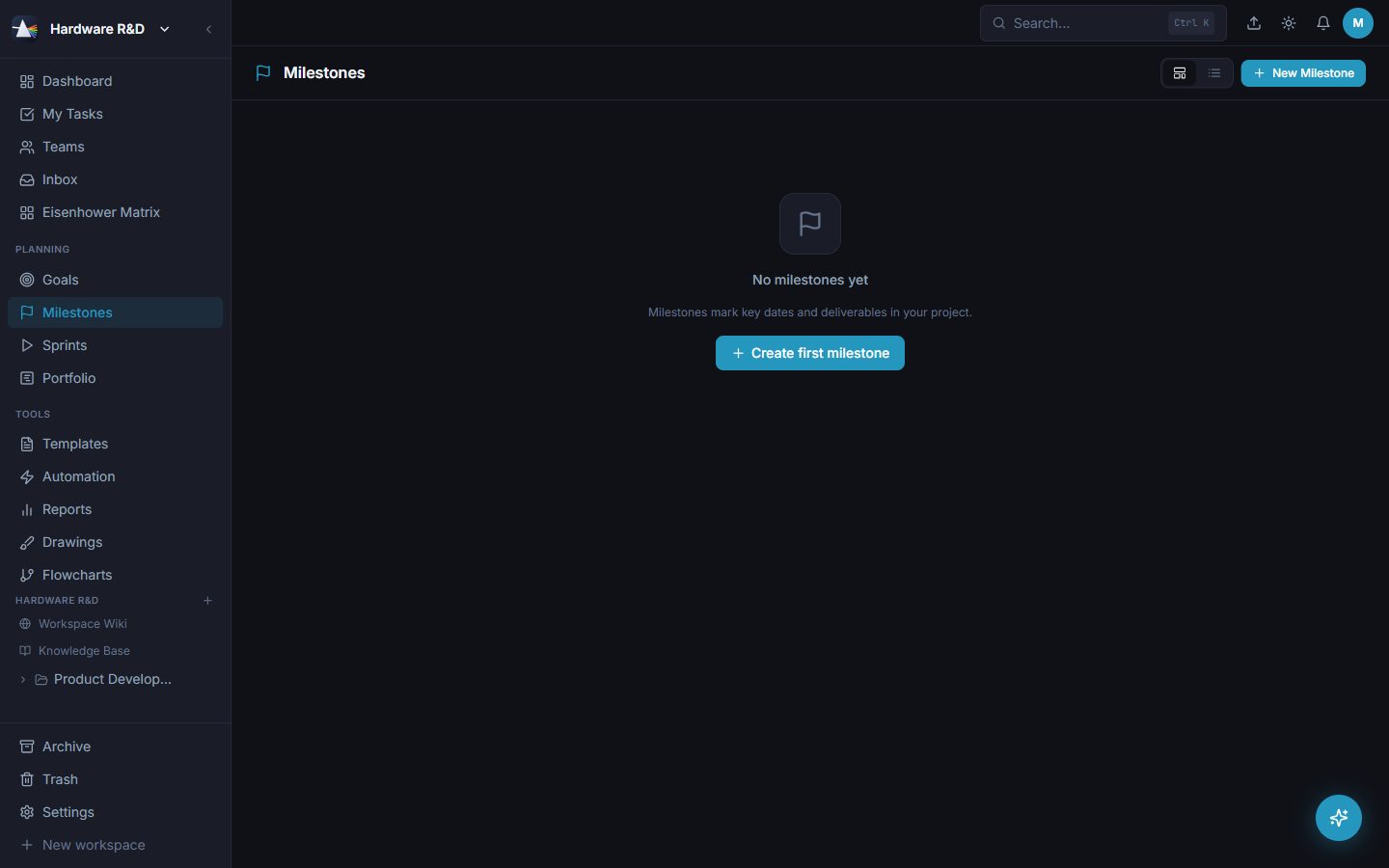
Four surfaces that chain together: goals set the why, milestones the what-by-when, sprints the commitment, portfolio the whole map in time.
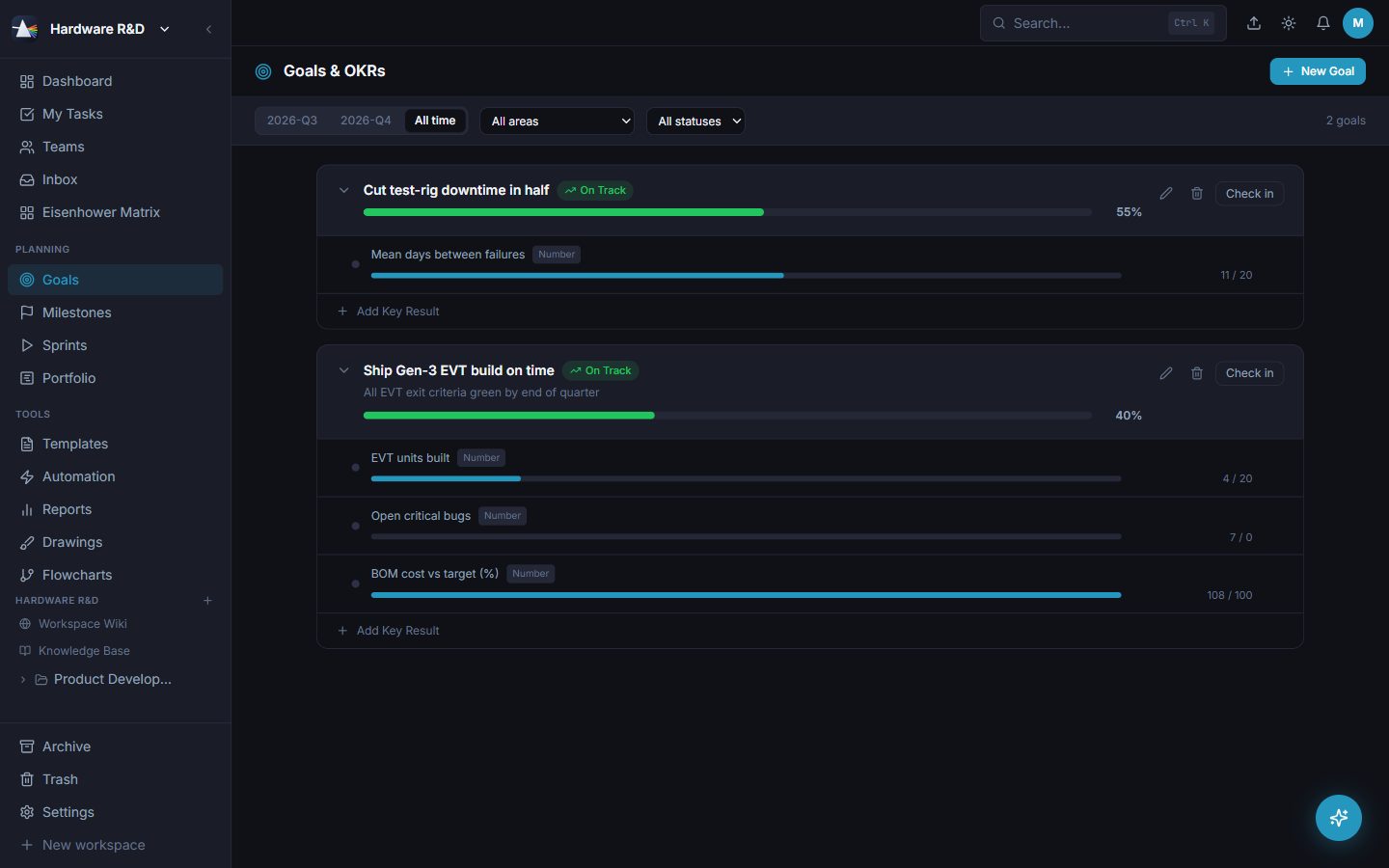
Objectives with measurable key results - numeric, percentage, currency or done/not-done - with check-in cadence and a status you can defend.
Dated checkpoints on a timeline rail, linked to the goals they advance and the sprints that target them.
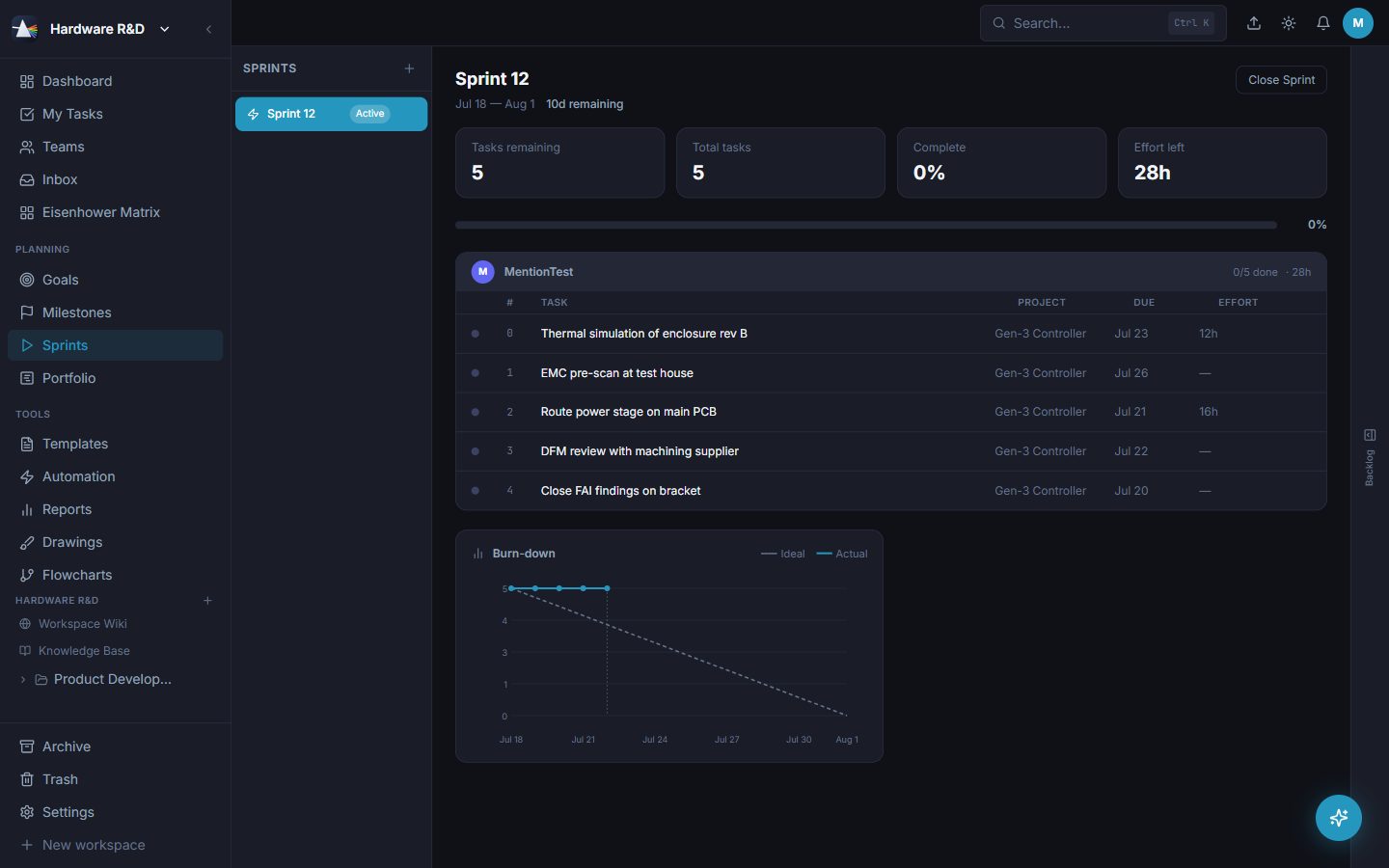
Pull tasks into a dated sprint, watch the burn-down, then close it and say where each unfinished task goes — rolled into the next sprint, named before you commit, or back to the backlog. The closed sprint keeps the record of what it held.
Every project on one timeline with dependencies across project boundaries. The answer to "will it ship?".
Per-workspace weekends and holidays, excluded from every duration calculation so plans match the real week.
Not everyone who needs the sprint will open Prism to read it. Publish one - goal, progress, burn-down, every task with its owner and its detail - straight onto a page in your own company wiki. Change the sprint's dates or goal, or close it, and the page updates itself. You create the page and keep control of who sees it; Prism only ever fills it in, one direction, and it names what is on that page before it replaces anything - whether somebody edited it by hand or it still holds last sprint's report.
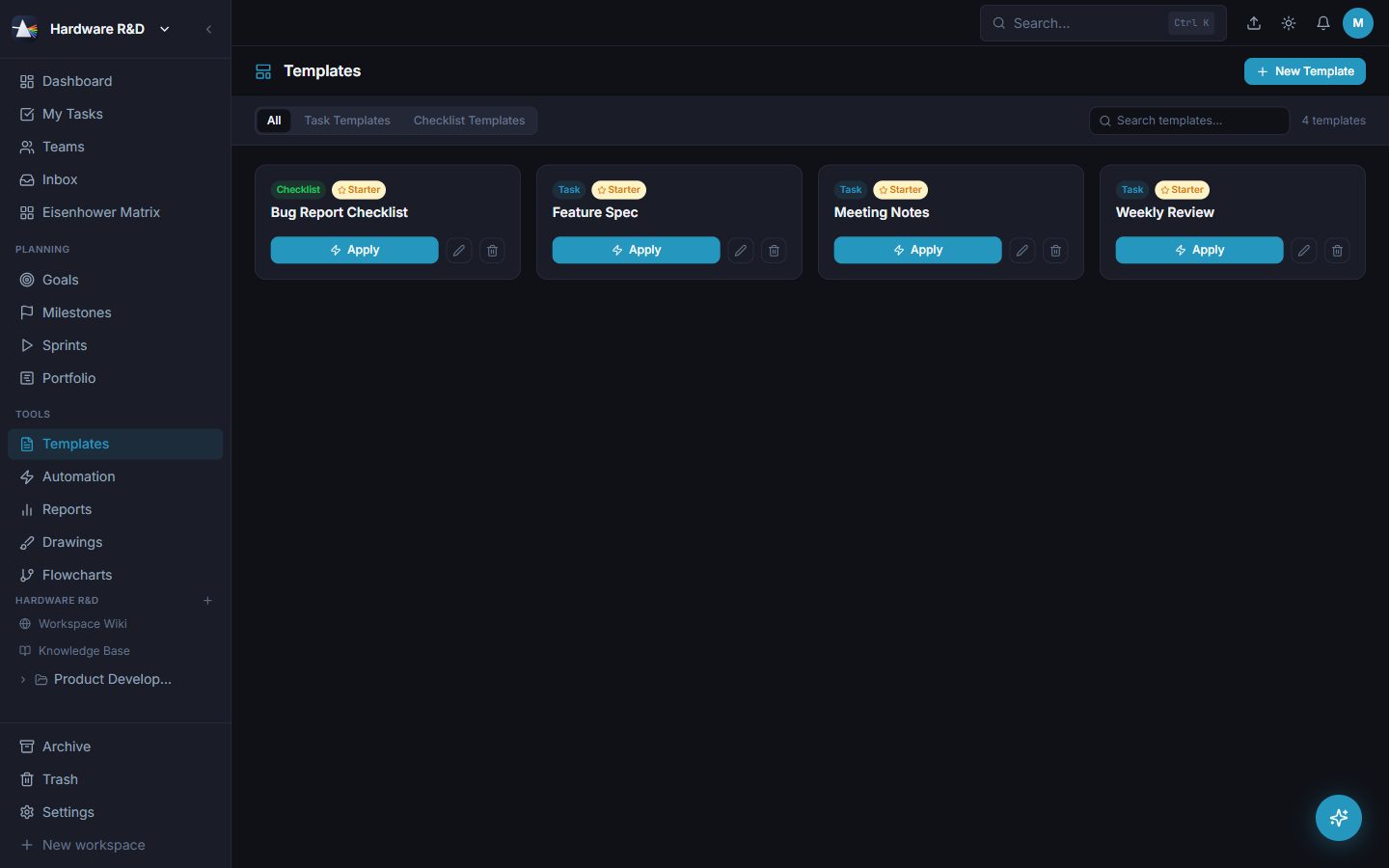
Task and checklist templates for anything you do more than twice, plus starter templates out of the box.
Effort, capacity and permission - the boring parts that decide whether a plan was realistic.
Start and stop a timer on a task, or log minutes after the fact. Every entry belongs to a task and a person.
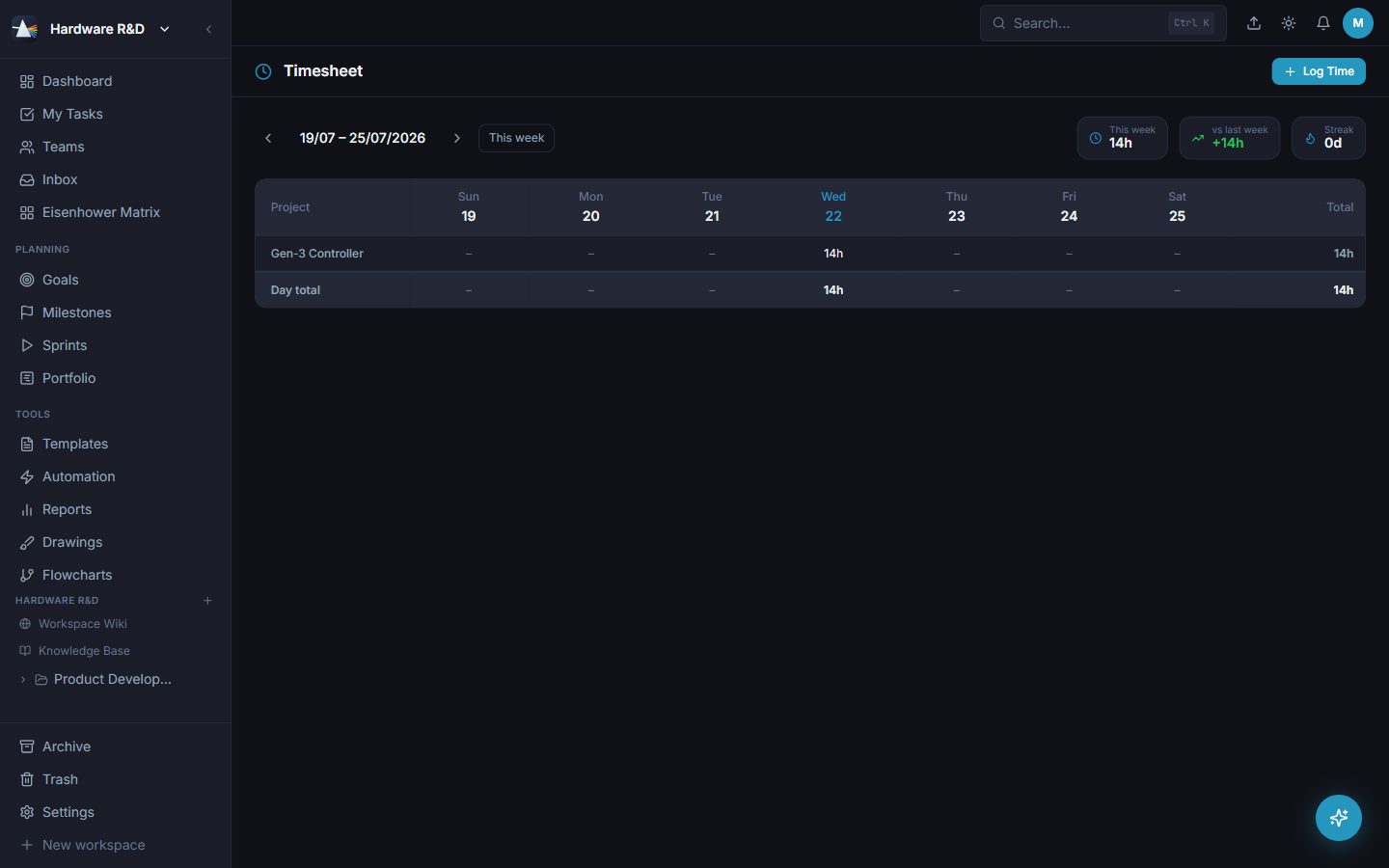
A weekly project × day grid of logged hours, starting on the weekday you chose.
Who is carrying what, over which dates. The view you open before promising anything.
Admin, member and viewer. Viewers can look without touching; admins hold configuration and users.
In-app notifications on assignment and approaching due dates, plus daily or weekly email digests per person.
Pre-create members and send invite emails, then assign the licensed seat when they join.
Record who reports to whom, and who may read whose work follows from it: yourself, anyone beneath you in the chain, or an administrator - and nobody else. Sharing a workspace is not enough, and neither is outranking somebody. It is the same boundary the AI assistant answers to when you ask it about a named person's work. Set over the API for now; it has no screen yet.
A working PLM core: part numbers, revisions, change orders, bills of materials, verification evidence, tolerance stack-up analysis and the ECAD layout handover - switched on per workspace so the rest of the company never sees it.
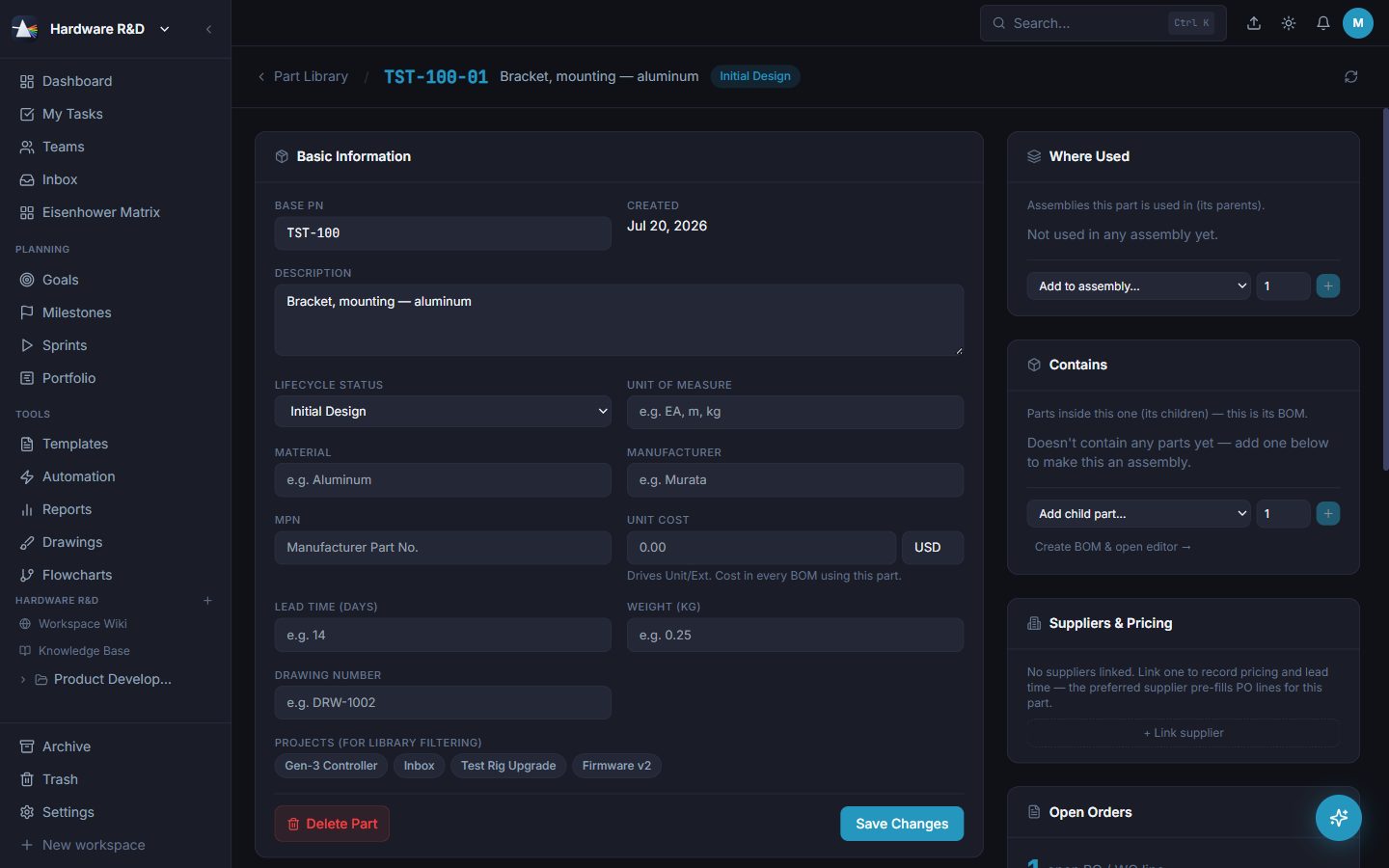
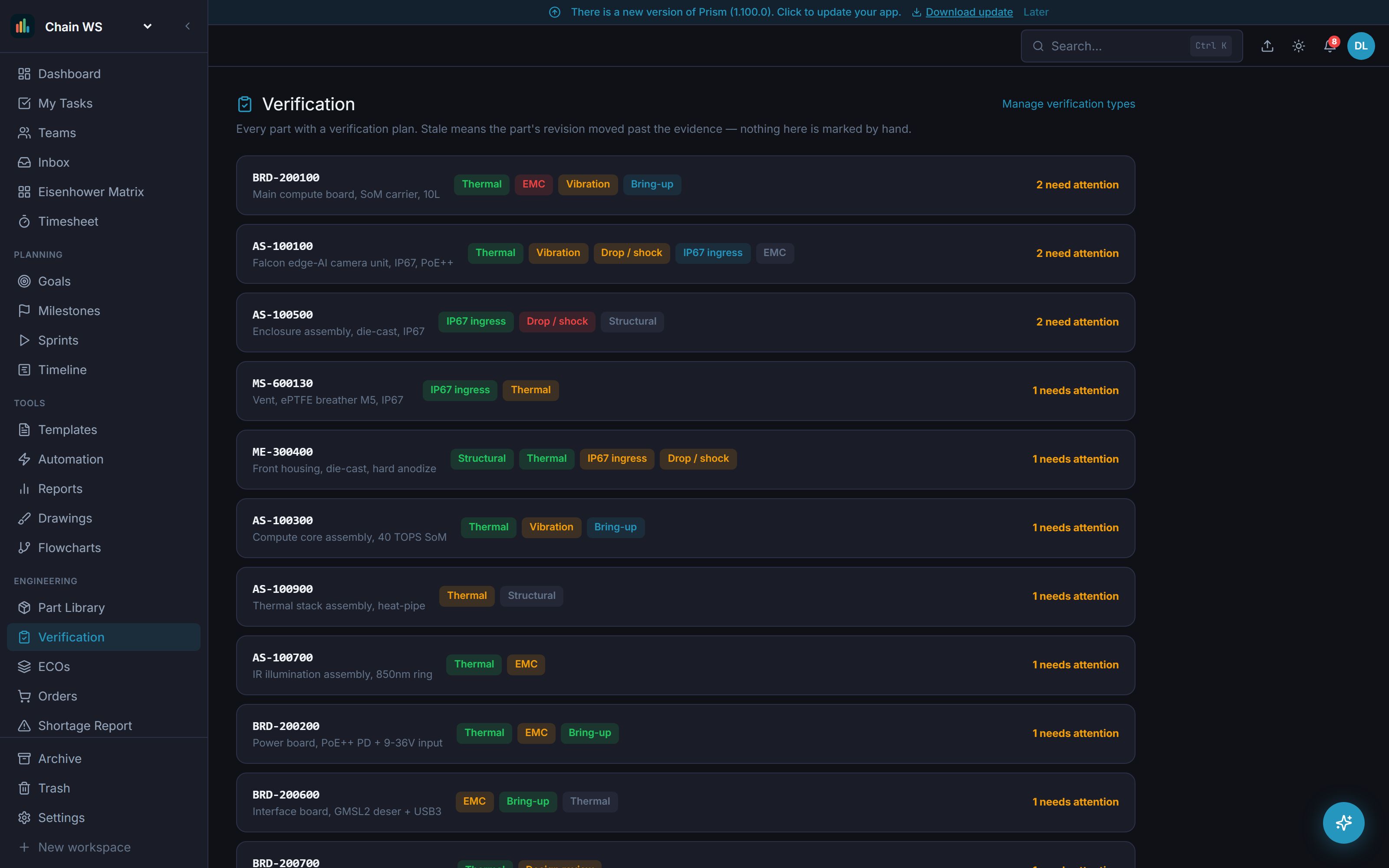
Every part with its base number, description, lifecycle, cost, category and current revision. Searchable and filterable by lifecycle.
Several assemblies side by side as flowcharts, filtered to one project. Click a part to set how many of it THIS assembly uses — the same screw can be used twice in one and five times in another.
Nobody types a revision string. Development revisions get numbers, production revisions get letters, and Prism assigns the next one.
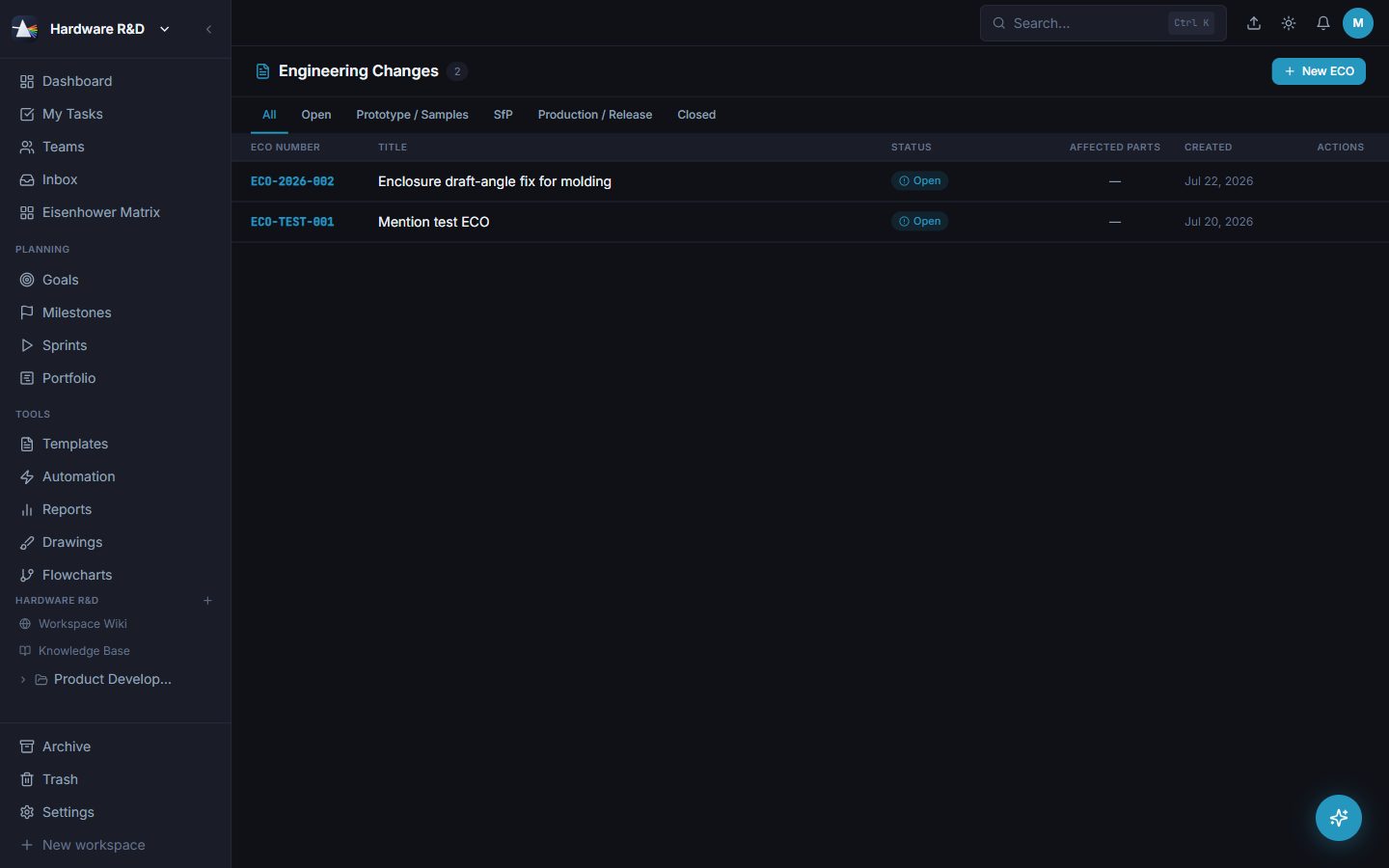
Change orders move Open → Prototype → SfP → Production → Closed, carrying their affected parts and timestamped audit notes.
First Article Inspection must be passed or waived before a part reaches production. The button refuses, not a person.
A collapsible tree with find numbers, quantities, units, reference designators and extended cost rolling up the levels.
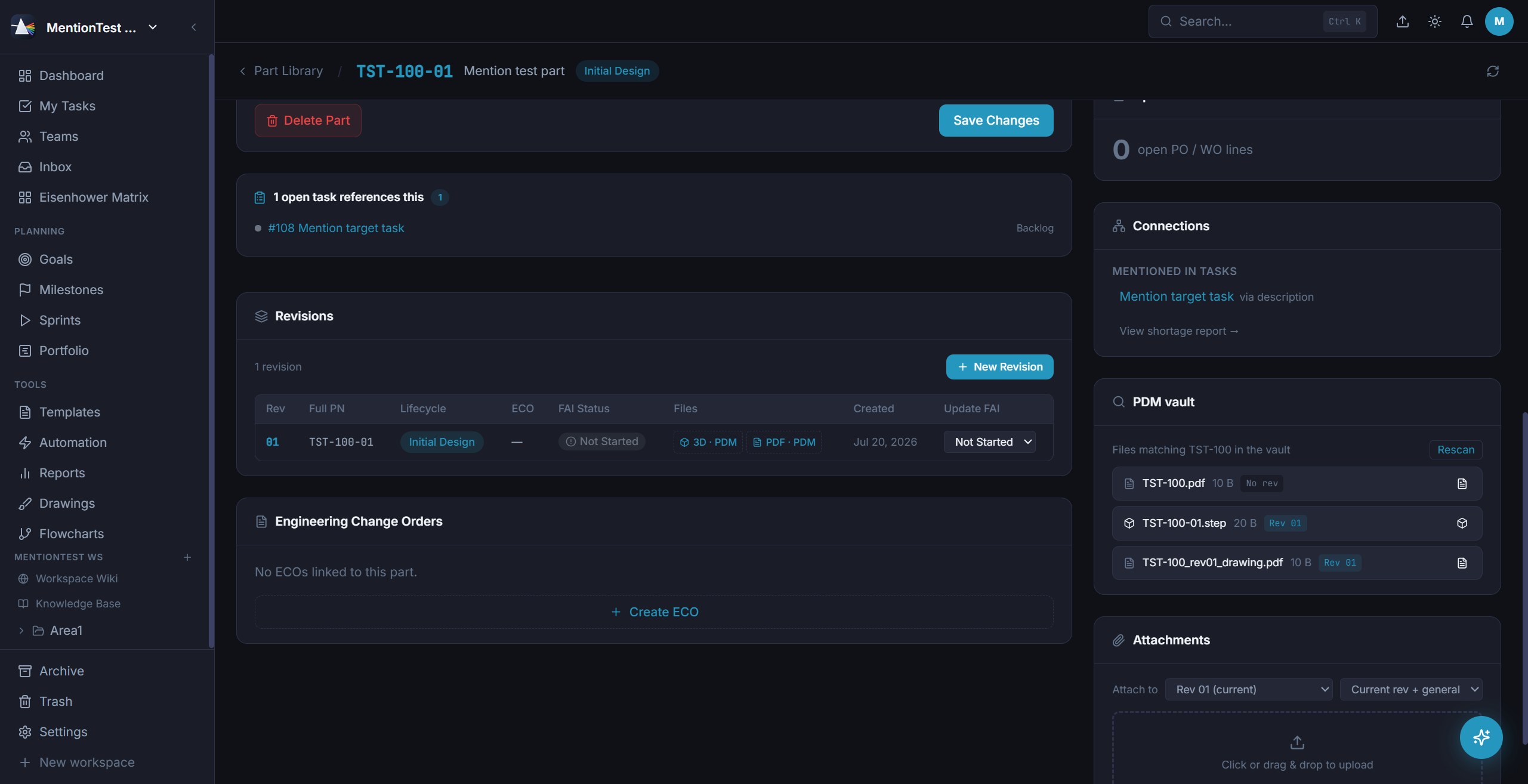
Every parent assembly a part appears in, and every child it consumes, editable in place.
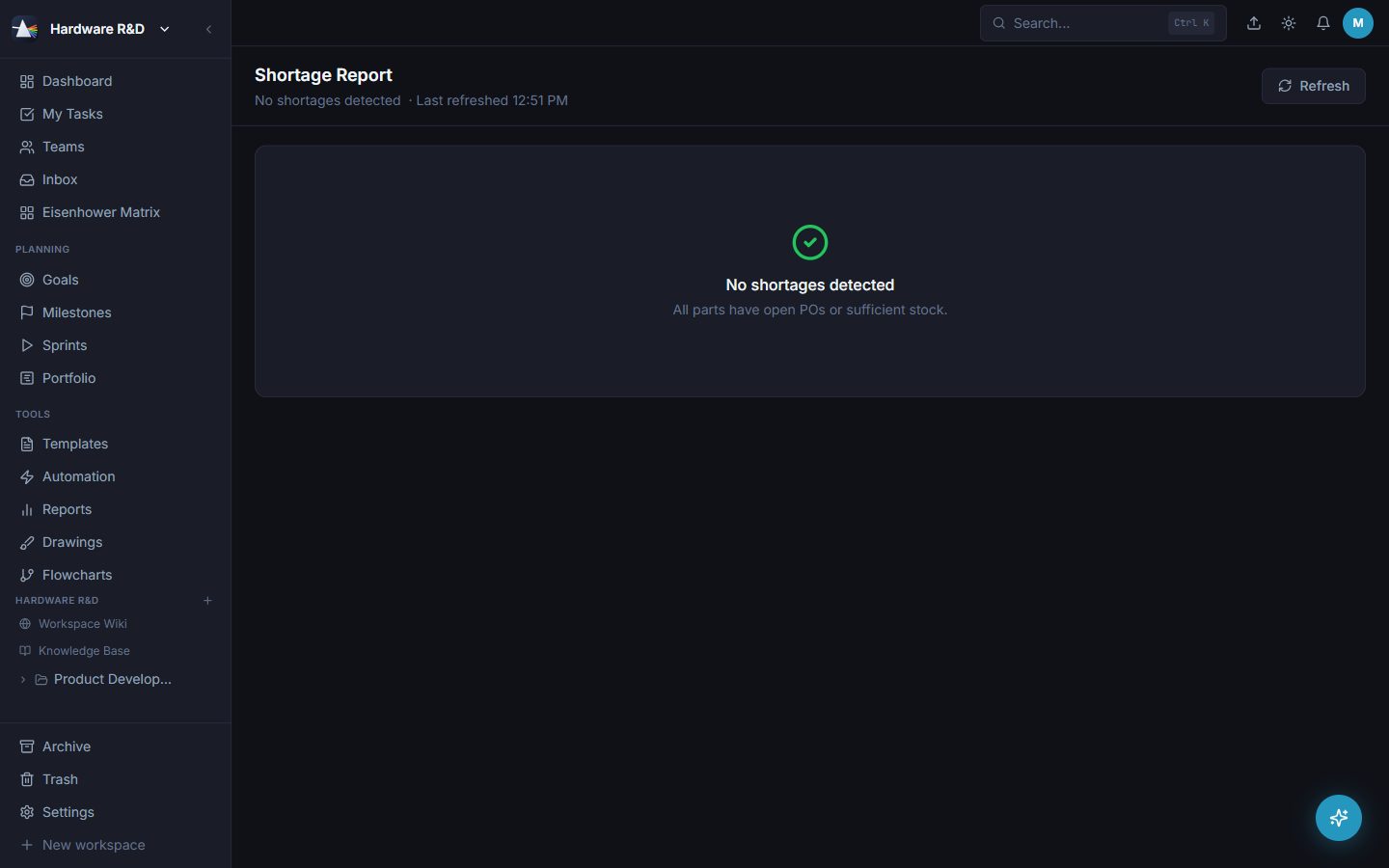
Every BOM line whose demand isn't covered by stock or an open PO, with the reason and an order-by date from real lead times.
Define prefix, separator and digit count per scope so full part numbers match the drawings you already have.
Open the 3D model or the drawing PDF for the revision you are looking at - rotate, pan, zoom, close.
Point Prism at the shared CAD root; it matches files to part numbers and revisions and offers them from the part page.
The layout handover, in the app instead of an attachment. Whoever owns the board drops the file they exported and Prism reads it to decide what it is - an IDF board or a DXF drawing - rather than asking. Each drop becomes v1, v2, v3 on that part: its own series, no change order needed, and the revision letters stay the mechanical engineer's. Limits: 20 MB for an IDF, 80 MB for a DXF.
The uploader has to answer “did anything change?” before the file will send - and the comparison runs either way. Tick “no change” on a drop where a connector moved and it is still accepted - but the record says so, and names what moved. Better than finding out when the enclosure is already cut.
Components are matched on reference designator, never on position, so nothing is lost when the export order changes - and there is no distance threshold, so every nudge shows. A DXF is compared layer by layer and drawn as both versions on one canvas joined at the origin, in two colours you choose, with an arrow at each change.
An IDF carries placements and the board outline; a DXF carries drawn geometry. Neither carries the netlist. So an empty comparison is worded “no geometric change detected in the IDF” - never “nothing changed” - and it names what that format does not carry.
Six types out of the box - Thermal, Structural, Fatigue, Vibration, EMC and Design review - and the list is yours to edit per workspace. Plan which ones a part needs, record the evidence, sign it off, and optionally refuse a production release while any required type is missing, stale, unfinished or failed.
A new revision flags every older result as stale by itself - re-verify, or carry it forward with a written justification that is itself signed off.
Whoever wrote a verification record cannot also countersign it. A one-person shop can switch that off - but only the workspace owner or someone who hands out roles can, never whoever happens to hold sign-off.
The paperwork between a released drawing and a box on the bench.
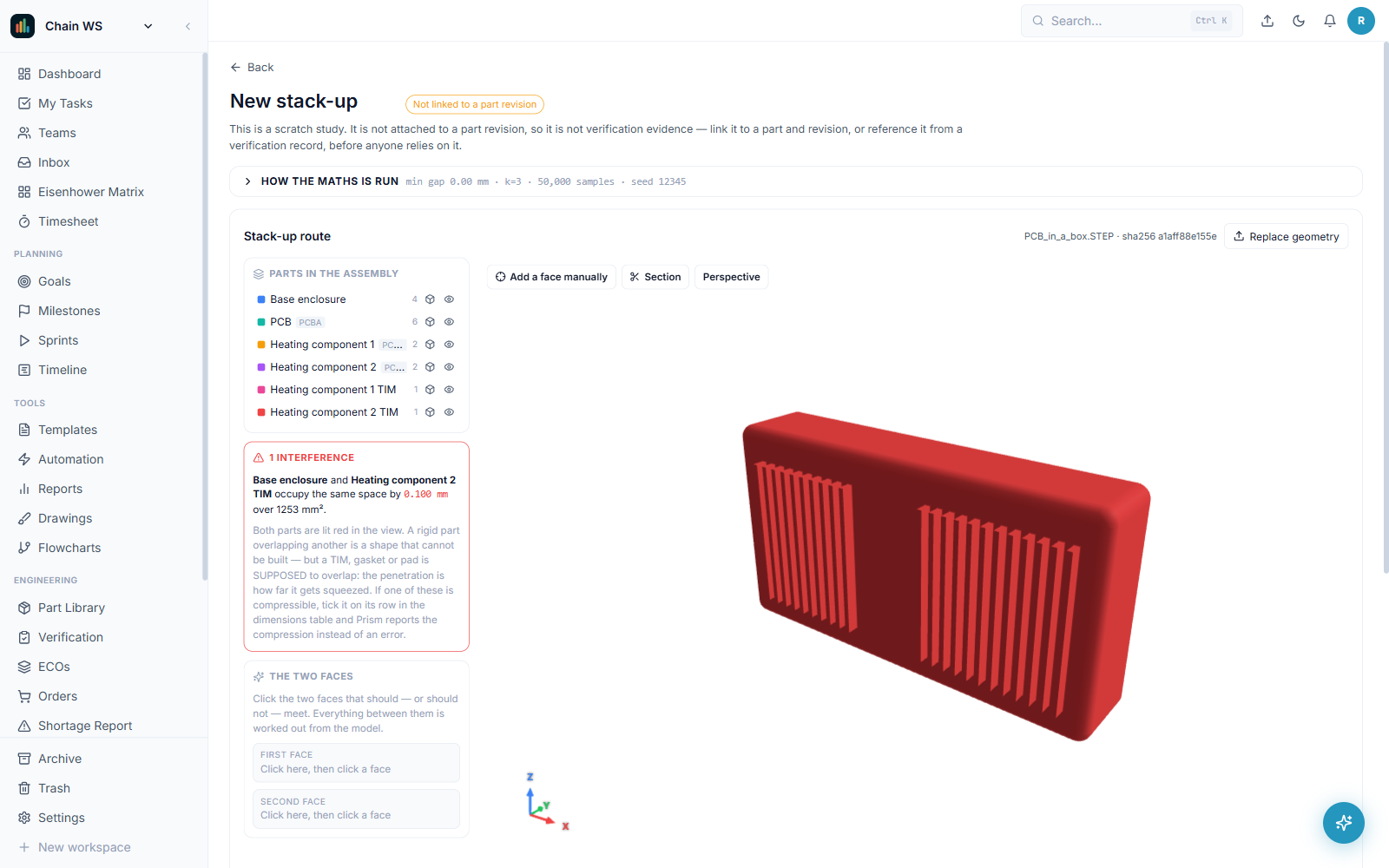
Build a dimension chain from the assembly itself and get worst case, RSS and Monte Carlo side by side - because they disagree, and which one you believe is the engineering decision.
Pick two faces in the 3D view and the contributors come off the geometry with their nominals already filled in. No transcribing numbers out of CAD into a spreadsheet.
Gaskets and thermal pads are checked against the compression range they actually need to hold, and Prism says plainly when no pad thickness can hold it - so the answer is the stack, not a thicker pad.
Add more than one path through the same model and compare them, rather than starting a new study every time you want to test a different route.
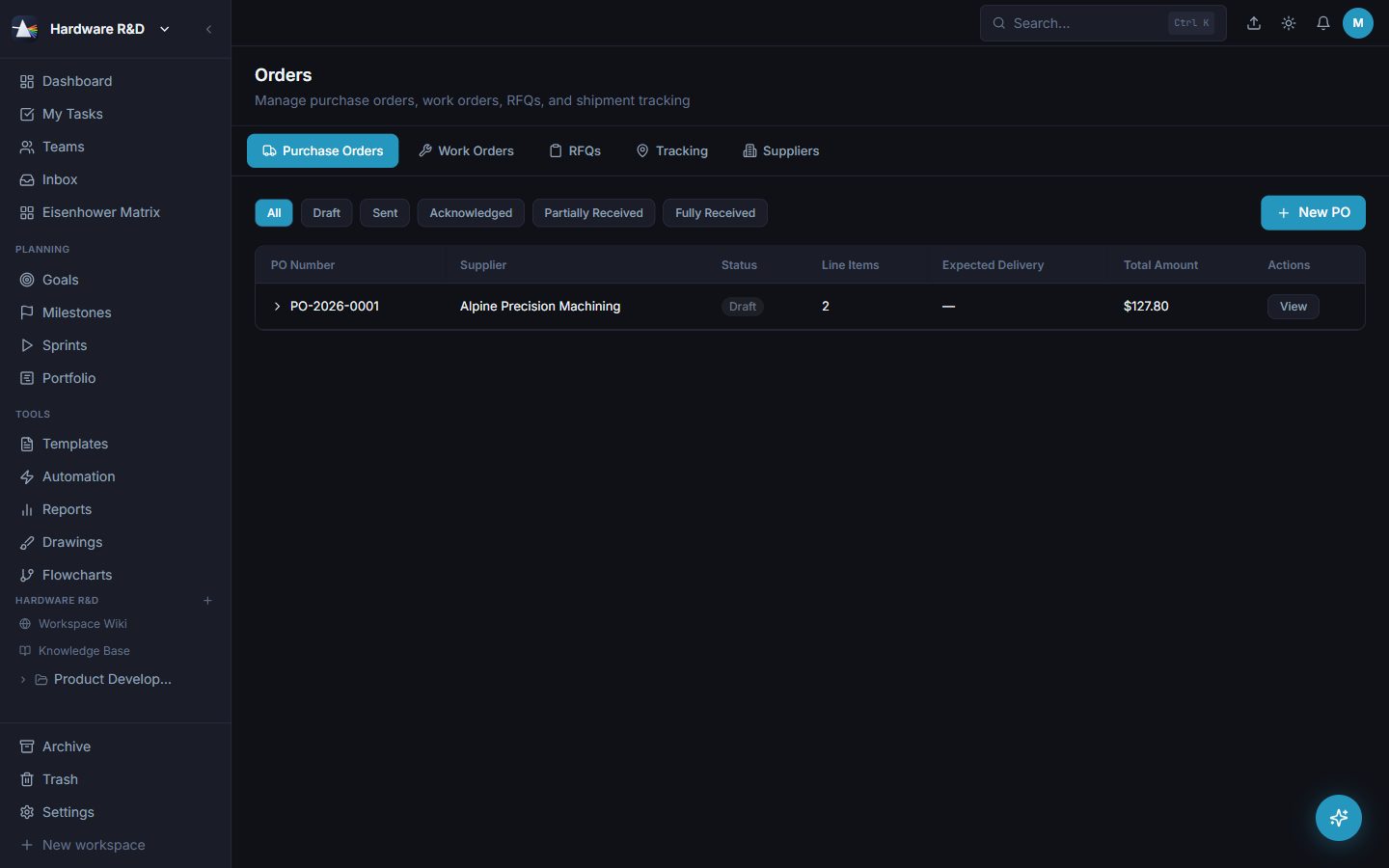
POs with line items against real parts and revisions, tied back to the part's open-orders view.
Manufacturing orders for the shop floor, tracked alongside what was bought.
Request-for-quote records, with a ZIP of each line's drawing and 3D files bundled straight from the vault.
A supplier directory with a preferred flag per part, unit prices, quantity price breaks, lead times and the supplier's own part number.
Split a supplier's lead into tooling, production and shipping so repeat orders forecast honestly.
Carrier detected from the tracking number, live status, last location and event history in one table.
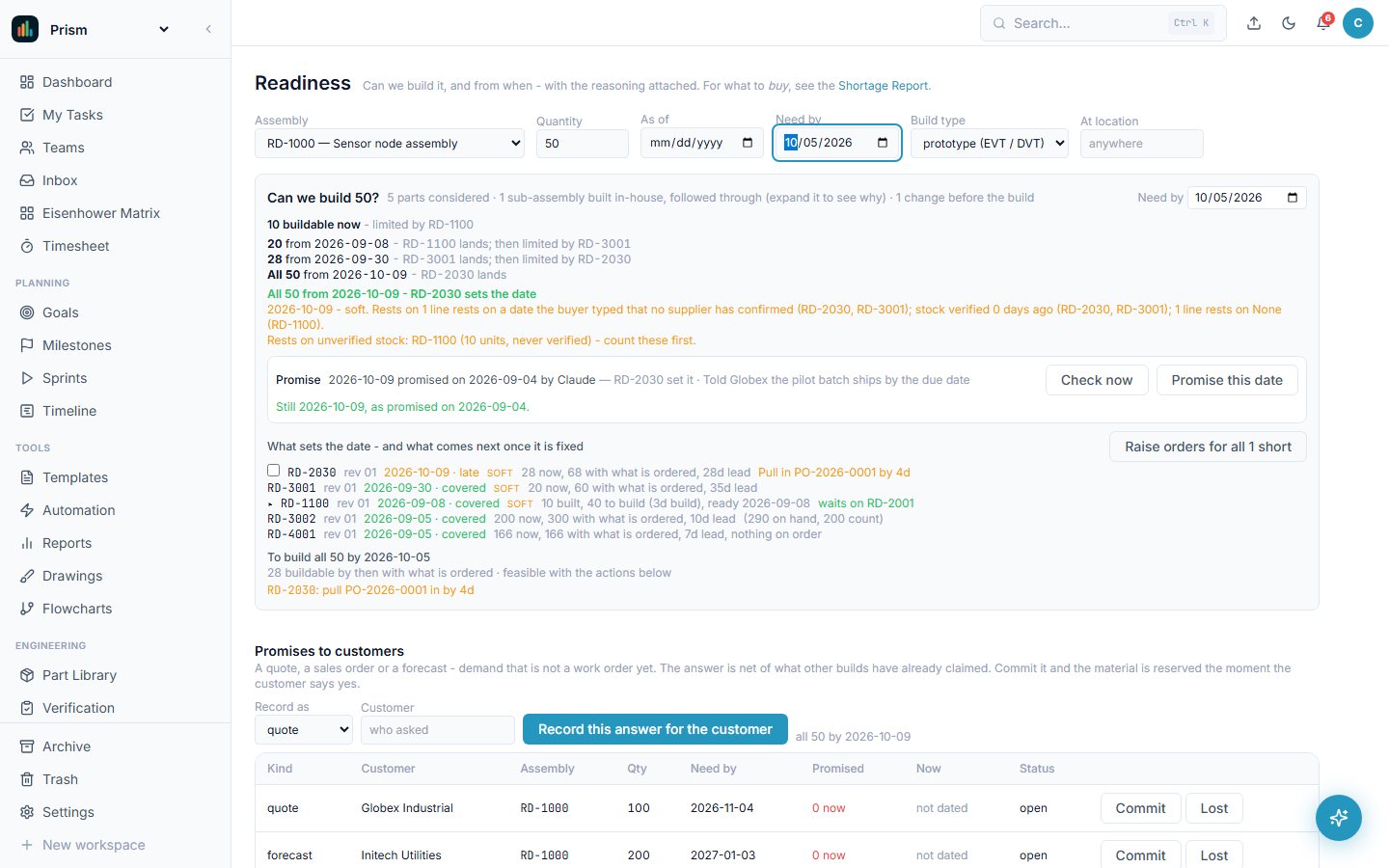
Pick an assembly and a quantity: how many can be built now, when the rest can, and which part sets the date - with every excluded quantity named and its fix beside it. Give it a need-by date and it answers backwards: order this by then, pull that order in, or not at any price.
On-hand is the sum of dated movements, never a field somebody edits. A count is a difference, a double count is marked and removable in one press, an over-shipment is received and said, and every receipt lands under the revision it was bought at.
Every new revision answers whether the old stock still works. Behind a wall it never counts for a build, and the change shows what that costs - stock at risk, open orders still buying the old revision, committed builds about to lose it - before anyone approves it.
Reserve material so two builds cannot spend the same parts. Put competing builds in order and watch every date move. Promise a customer before there is a work order, and commit it in one step. Build 20 a month and see when each part runs out and when its order has to go.
Every fifteen minutes Prism re-answers every committed build and tells the owner - bell, email, Telegram - when a date moved and why: the order that slipped, the build that took the material, the part held in quarantine. The weekly email carries the same list.
Export the kit and the shortage list, publish both to the wiki page your team already reads, and take the contract manufacturer's counts back in at their location - as counts, with every unknown part number named rather than dropped.
One memory you write on purpose, one that writes itself - and AI that files rather than decides.
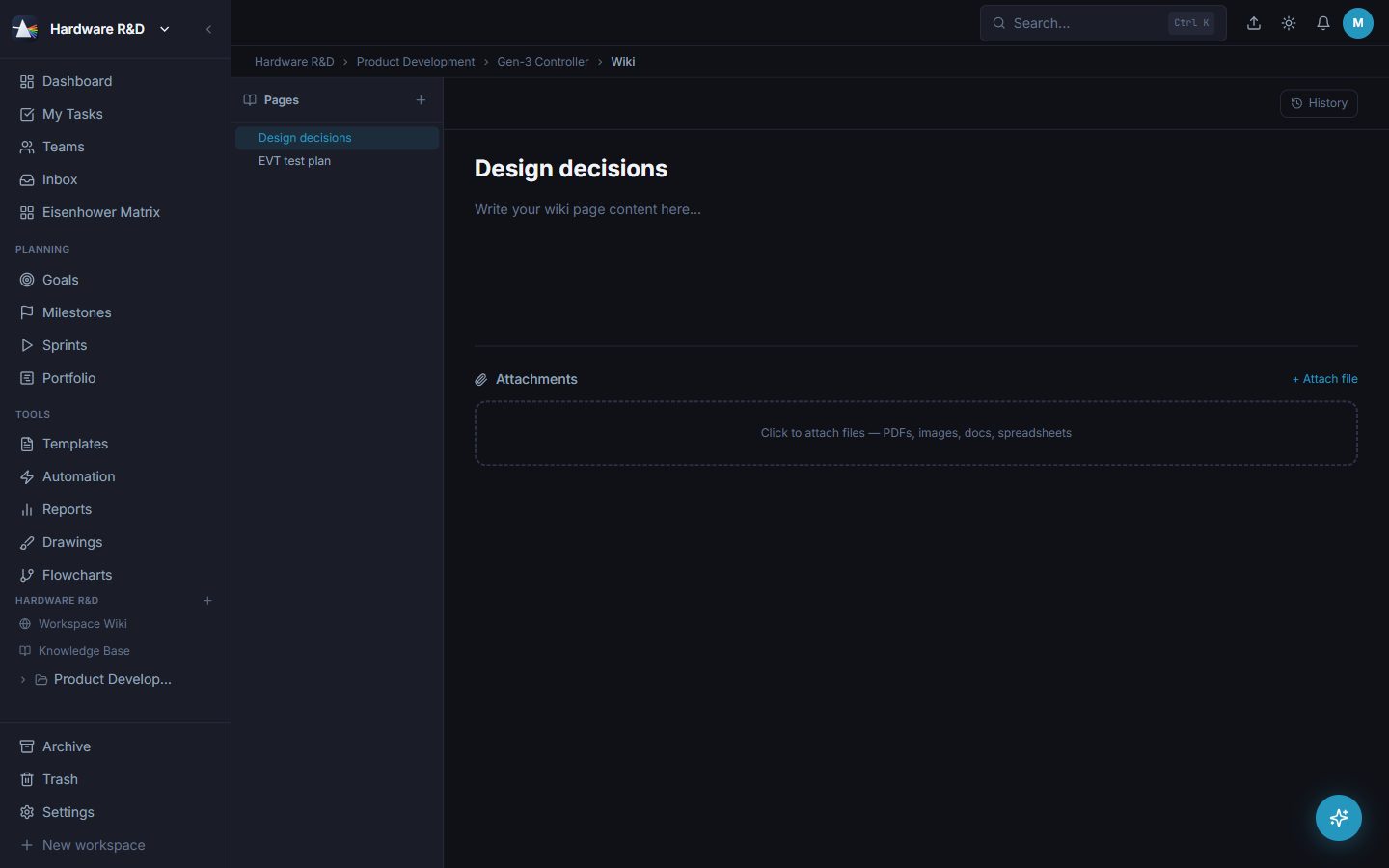
Rich-text pages at workspace, area or project scope with attachments. Decisions, specs, test plans, onboarding.
Attach a standard and the assistant can quote it, not just name it — citing the page, the section heading or the sheet it took the words from. Files are read in your own browser as you upload them, so nothing leaves the building to be parsed, and a scanned PDF says it has no text rather than looking unread.
The project story: every completed task and its files, filed automatically. Read-only by design, so nobody has to maintain it. Its status summary reads the actual work — who holds what, what is stuck, what each task is about — and rolls project up to area up to workspace.
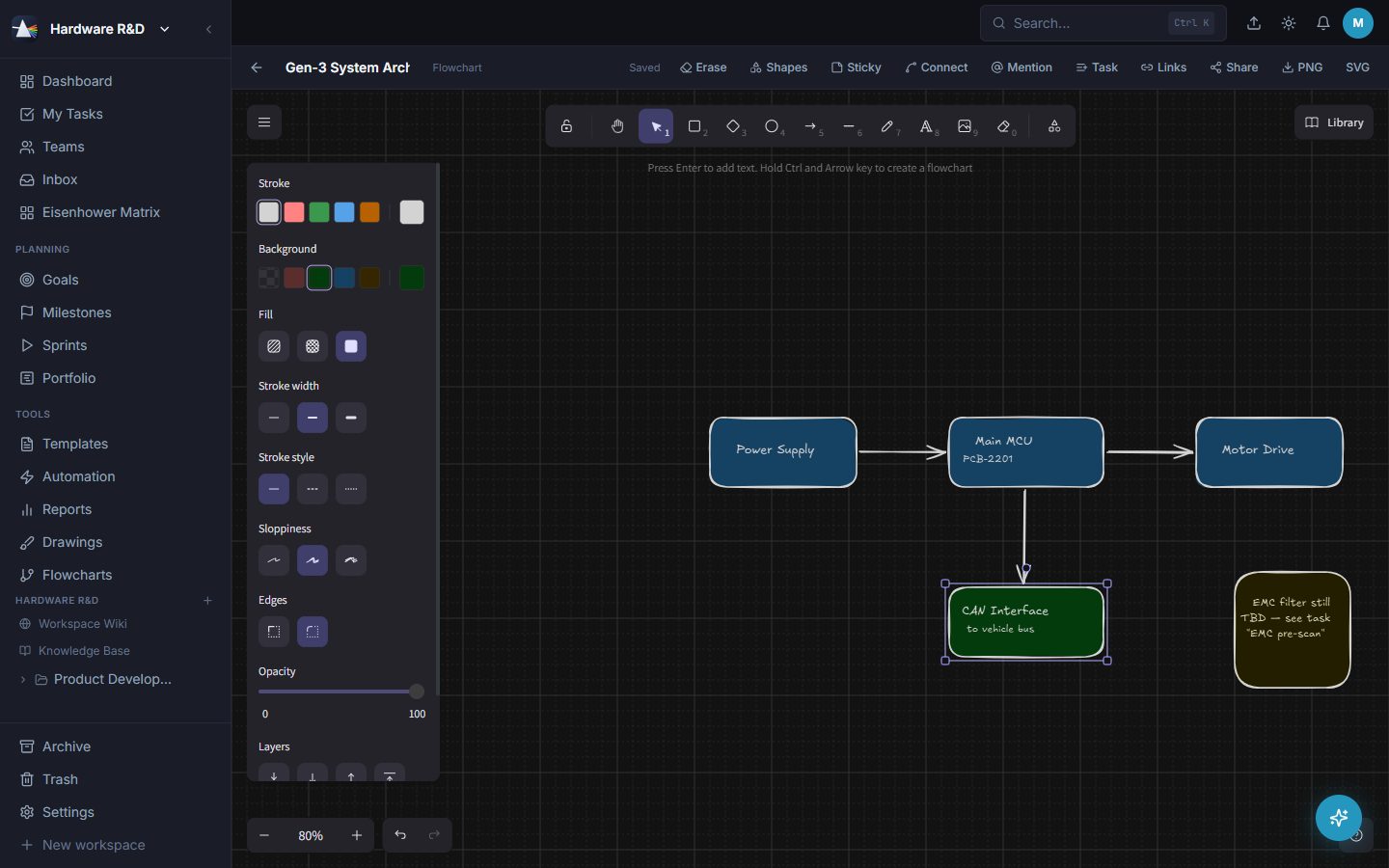
Freehand drawings and flowcharts on an infinite canvas, autosaved, with live thumbnails in the library. Signal-bus line presets (Ethernet, PCIe, CAN, FlexRay, MIPI…) and a drop-in legend keep hardware block diagrams on one convention.
Paste notes and get a reviewed tree of tasks, subtasks, wiki pages and notes. Nothing is created until you confirm.
Drop an .eml or .msg and the AI pulls out title, priority, due date, description and checklist items.
Describe an outcome, get a subtask tree you can edit before it exists.
Tidy a description or a comment without leaving the field.
Mirror tasks, parts, ECOs and wiki pages to disk as Markdown with YAML frontmatter. Your history outlives the app.
Three of the major hosted model APIs, or the models running inside your own cloud account so prompts never leave it - or leave AI switched off entirely and lose nothing else.
How Prism behaves when four people are in it at once and one of them is on a laptop in the workshop.
Self-hosted on a machine you control, reachable across the LAN. A managed cloud edition is on the way.
Workspace-scoped WebSocket events. A status change lands on every open screen at once.
Ctrl+K searches tasks, parts, ECOs, wiki pages and orders from anywhere, with recent searches remembered.
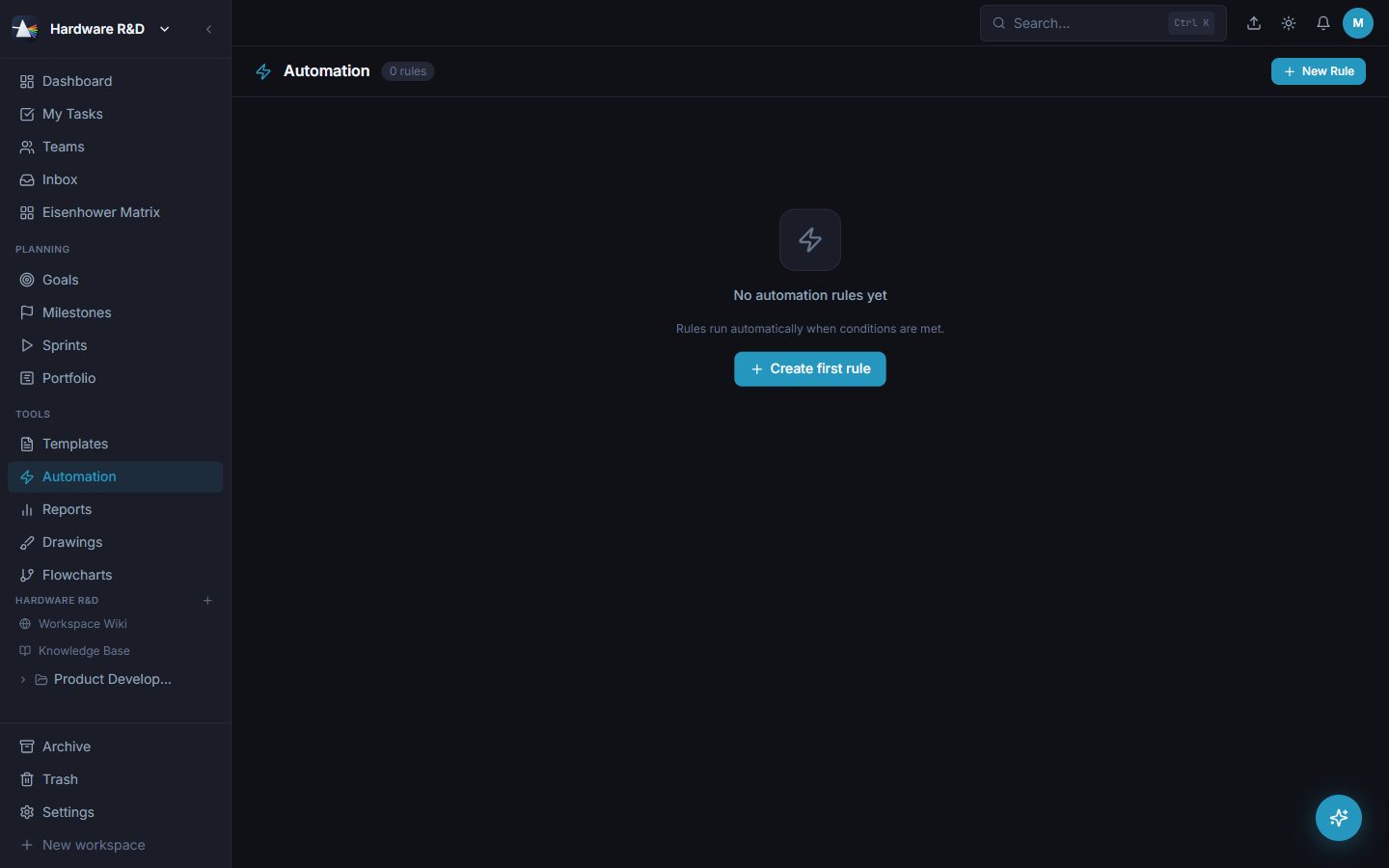
Triggers on status change, due date or field change; actions that restatus, reprioritise, comment, notify or assign. Every run logged.
Fixed schedules, or spawn-on-completion for the jobs that only repeat once the last one is done.
Field-level history on every tracked field, with conflict handling when two people edit at once.
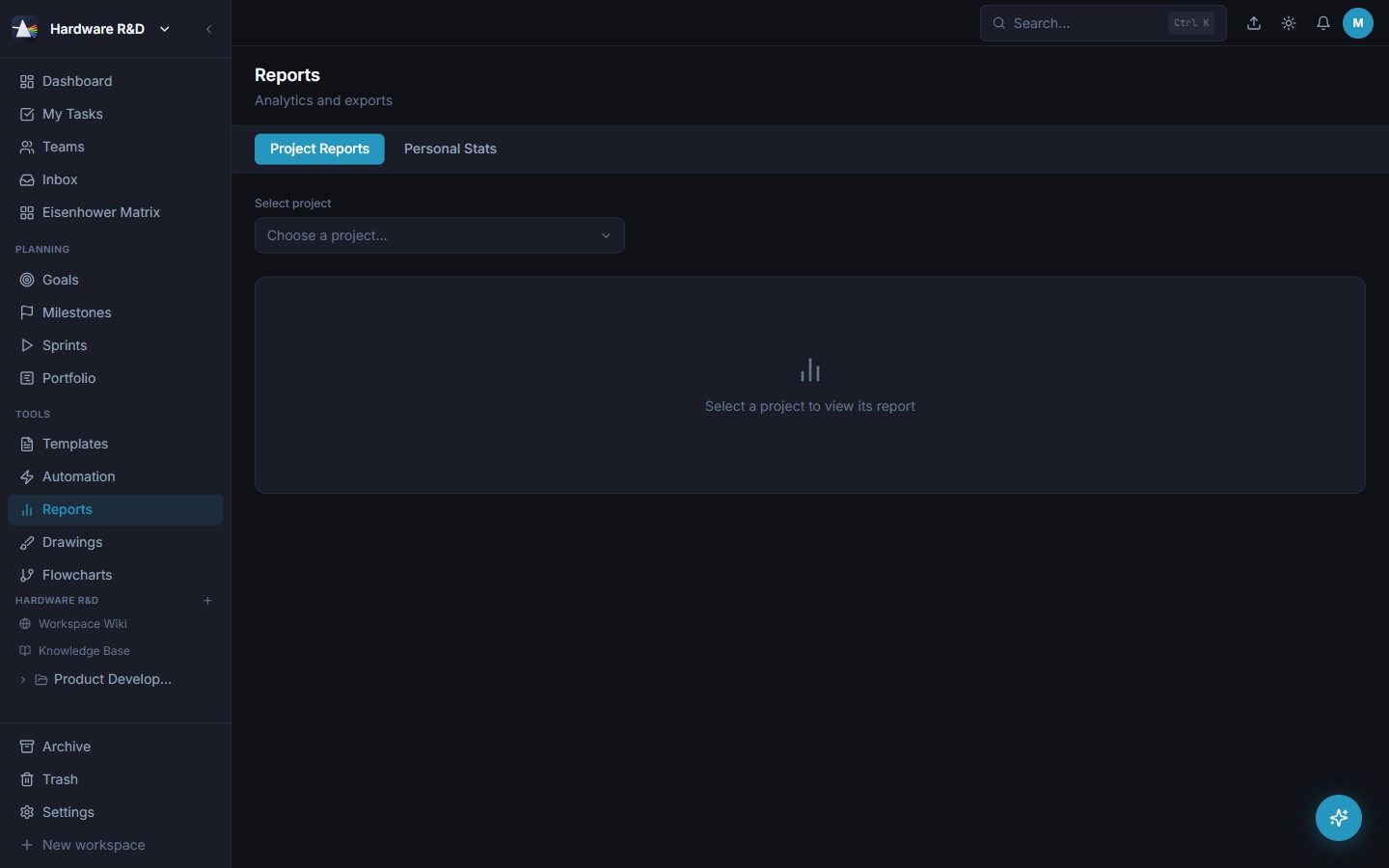
Charts, CSV and server-side PDF export across tasks, time and BOMs. Your data leaves whenever you want.
Dark and light, plus a brand colour Prism adapts for legibility. Status colours stay fixed - they carry meaning.
Seats are assigned by email and managed by Reportil, with status and expiry visible in Settings → Billing.
Any tool can list a hundred features. What matters is that they share one database, so the link between a task and a part number is a fact rather than an integration you maintain.
Mention a part number in a task and the part page shows that task under Connections. Both sides stay true.
A revision blocked by an FAI gate holds the task that depends on it, which moves the dates on the Timeline.
BOM demand meets stock and open POs in the shortage report, with the preferred supplier's lead time doing the maths.
Completing a task files it and its attachments into the Knowledge Base, and mirrors it to your Markdown vault on disk.
ONE PRICE PER SEAT · EVERY CAPABILITY ON THIS PAGE INCLUDED
This is our standard list price — we could not reach our pricing service just now, so it may not be current. The quote you are shown at checkout is the price you pay. Ask us for a quote.